OnCal · for Mac, iPhone and Android
OnCal gets you to every call
A calendar that lives in your Mac’s menu bar. It nudges you before every meeting, gets harder to miss as it starts, and joins Zoom, Google Meet or Teams in one click.
No account. No ads or tracking. Pay once, not every month.
The one-minute tour.
With voiceover. Captions are in the player.
Gentle at first.
Hard to miss at the end.
A notification is easy to swipe away. OnCal steps up as a meeting gets close. Here’s a 3:00 call:
2:5010 min before
A quiet heads-up
A soft glow under the menu bar, and OnCal counts down in the meeting’s color.
2:582 min before
The alert
A bar slides out across the top of your screen with a sound and a Join button.
3:00it’s starting
Full screen
The meeting fills the screen: Join, Snooze or Dismiss. Press Return and you’re in.
3:255 min left
Time to wrap up
A nudge to finish, with your next meeting and its Join button if it’s straight after.
Each step can be moved earlier or later, or turned off, in Settings.
Everything it does.
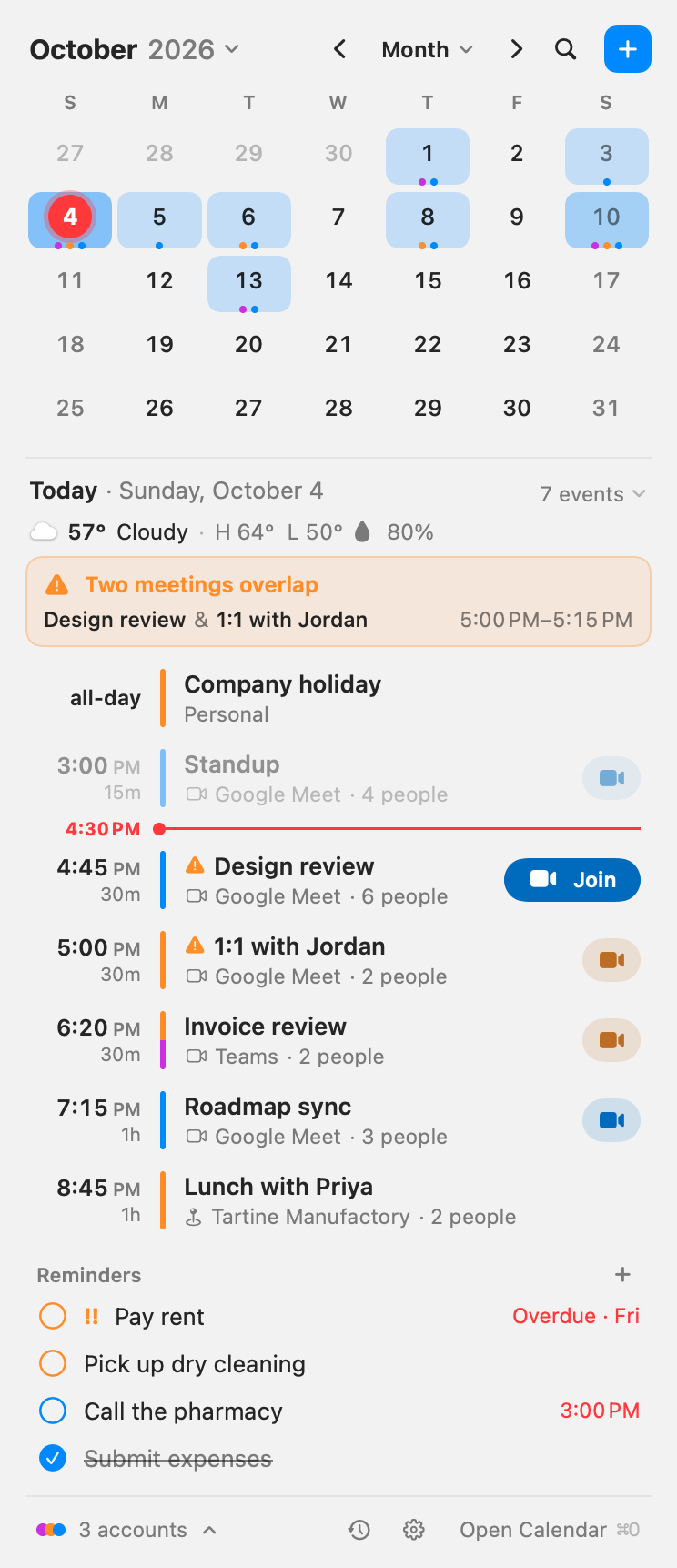
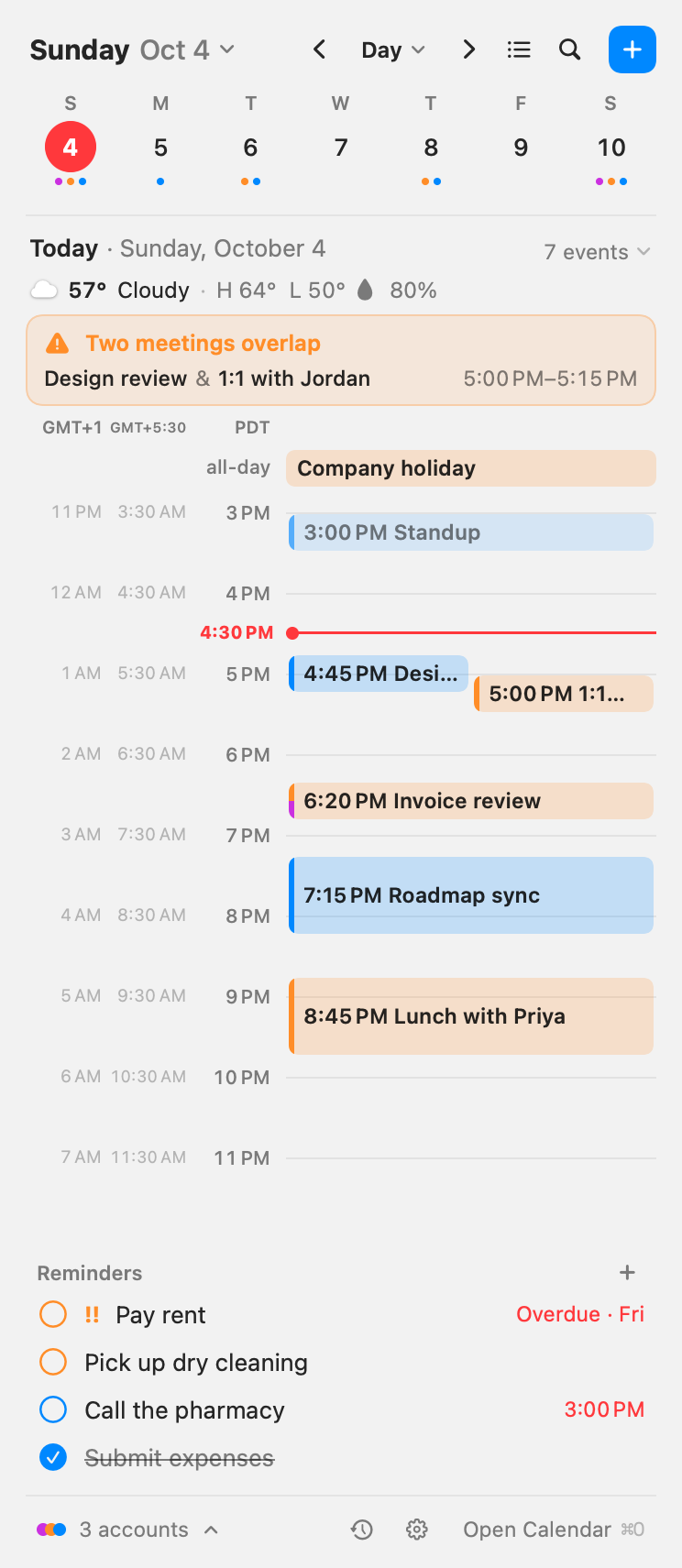
Click the date in the menu bar for your day, week or month. Everything else stays out of the way until you need it.
Getting on the call
One click to join
Zoom, Google Meet and Teams links get a Join button, so you never go hunting for the link.
A shortcut for the next call
Set a keyboard shortcut and join a meeting starting in the next 10 minutes, or the one in progress, from any app.
Stops once you’ve joined
Joined from the browser or the Zoom app? When your Mac’s microphone or camera turns on around the start, OnCal puts the alert away.
Your calendars
All of them, side by side
Google, Microsoft 365, Outlook.com and iCloud, plus any calendar already on your Mac, each in its own color.
Calendars that don’t alert
Follow a team calendar without being pinged. Its events still show, just without alerts.
Mirror your busy time
Copy events from one calendar into another as “Busy”, so coworkers see when you’re taken without seeing what it is.
Your day
Type it how you’d say it
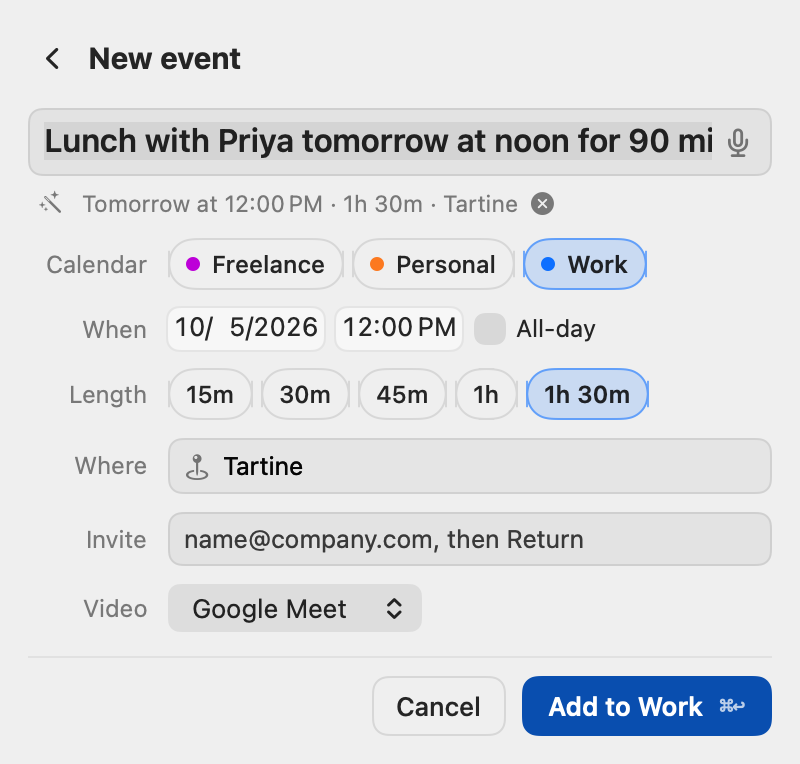
“Lunch with Priya tomorrow at noon for 90 min at Tartine” fills in the day, time, length and place, and can add a video link.
Time to leave
For meetings with an address, OnCal works out the travel time and tells you when to head out.
Double-booked?
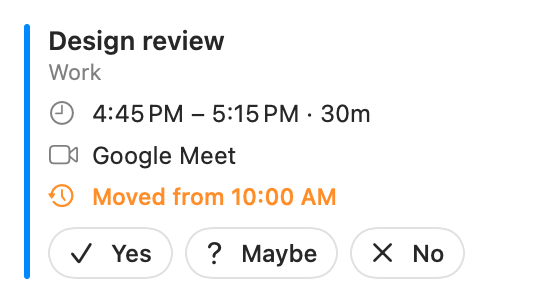
OnCal points out which meetings clash, so you can sort it out before both alerts go off.
Reminders next to meetings
Your reminders from the Reminders app sit under the day’s meetings, and you can tick them off right there.
Keeping it tidy
Quiet when you want it
Right-click a meeting to stop its alerts, or every one after it in the series.
Hide what you can’t delete
Events from a calendar someone shared with you can be hidden in OnCal. They stay on that calendar; you just don’t see them.
Delete an invitation without replying
Take a Google or Microsoft invitation off your calendar without emailing the organizer. Google still shows them you declined.
Everywhere
Widgets on every screen
Up next, today, week and month on your Mac desktop, with the same widgets coming to iPhone and Android.
A closer look.
Works with the calendars and calls you already use
- Google Calendar
- Microsoft 365
- Outlook.com
- iCloud
- Zoom
- Google Meet
- Microsoft Teams
Your calendar stays yours.
OnCal has no account with us, no ads and no analytics. Your events go straight between your devices and Google, Microsoft or Apple (and Zoom, when you add a Zoom link). We never see them.
Questions, answered.
Does it work with Outlook and Microsoft 365?
Yes. Sign in with your Microsoft 365 or Outlook.com account and those calendars show up next to Google and iCloud. You can reply to invitations and join Teams calls from OnCal.
Will it slow my Mac down?
No. OnCal is a small menu-bar app. It checks your calendars every few minutes in the background and otherwise waits quietly until a meeting is close.
What happens after the 14 days?
OnCal asks for a license key. Buy one, paste it in, and you’re back where you left off. Your calendars stay with Google, Microsoft or Apple the whole time.
Can I use it on more than one Mac?
Yes. Your license key works on every Mac you use.
Do you see my calendar?
No. There are no OnCal servers. Your events travel directly between your devices and Google, Microsoft or Apple (and Zoom, when you add a Zoom link).
Is there an iPhone or Android app?
Both are coming soon, with the same widgets as the Mac.
Try it free.
Keep it for good.
Use everything for 14 days. If OnCal earns its spot in your menu bar, buy it once. No subscription.
A lifetime license
Launch price for the first 250 licenses. After that it’s $39, and it won’t be this low again.
- 14 days free, no account needed
- iPhone and Android: coming soon